On this page
On September 27, the v2-demo integration moved its DeepSeek Harness wrapper into a single asset path served by both the web host and the development desktop. One implementation supplies the CSS, JavaScript, images and fonts for both surfaces.
The practical objective is consistency without taking ownership of everything around the interface. One source of styling and behavior should be enough; the underlying host should continue to own authentication, native permissions, model controls and computer-use tools.
Changes recorded
Commit d46b8766f3 added the DSH UI wrapper and design-source material on September 27. Commit 04443359cf moved the Zortex wrapper assets into a shared path for web and desktop. Commit 17c16da9a1 then bounded DSH token use and changed how graphical-interface tools are discovered.
The significant UI change is the second of those commits. The shared files live under lab/wrapper/public/ in the demo repository. Its README specifies that both surfaces serve those same CSS, JavaScript, images and fonts, with caching disabled so a reload can reflect an edit. There is no second desktop theme to update independently.
The associated installer creates a dependency-free host plugin and registers a managed entry in each chosen DSH home. The desktop uses DSH's supported webserver/index-inject hook and authenticated dsh-app transport to load the wrapper. The original DSH source tree is not patched to achieve the visual changes.
The installation boundary
The resulting flow is intentionally narrow:
One wrapper source directory
             |
             v
Managed DSH host injection
             |
        +----+----+
        |         |
        v         v
     DSH web   DSH desktop
        |         |
        +----+----+
             |
             v
Native host features stay with DSH
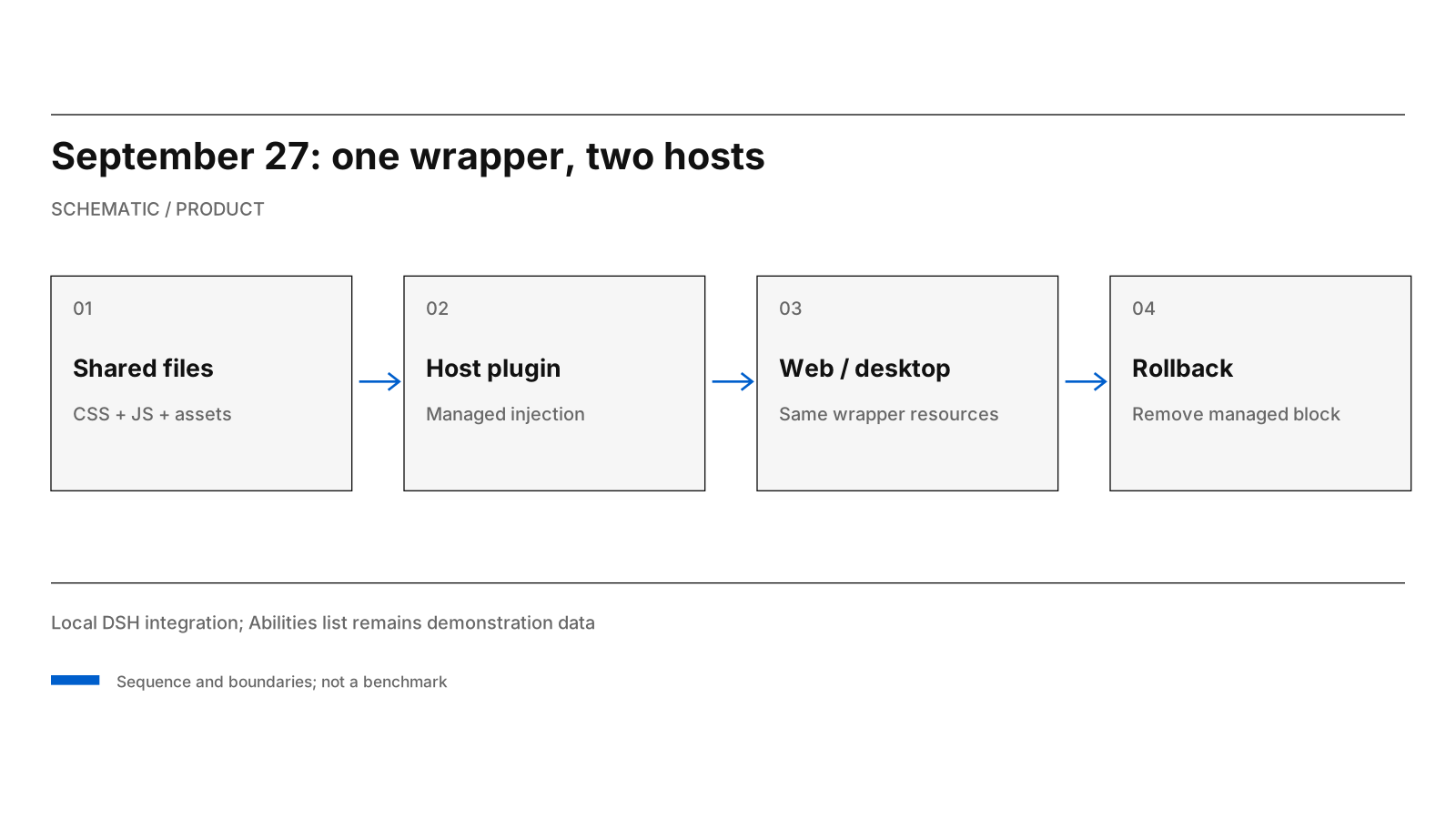
Diagram: one wrapper asset path with native host controls kept separate.
Shared presentation code is a means of reducing drift, not proof of identical platform behavior. Web and desktop still differ in window chrome, operating-system file pickers, permissions, transport and native integration. The wrapper explicitly leaves those things under host control.
A reversible boundary is equally important. The documented installer backs up and preserves existing configuration while adding its own managed block. Removing only that block and restarting disables the integration. The standalone proxy remains available as another way to run the wrapper. Alt+Z toggles the wrapped presentation locally without replacing the original host permanently.
This is a better development shape than copying a theme into each host and assuming they will remain synchronized.
Why we preserved native controls
The wrapper's CSS deliberately uses DSH's own design tokens for surfaces, labels and typography. It changes a small set of identity and navigation elements, such as the page prompt, the Abilities label and compact model-selection presentation. The original controls remain available.
The shared integration must not make the model selector ornamental. It must preserve reasoning settings, navigation, history, keyboard interaction, approvals and live updates. Nor can a browser-level wrapper invent operating-system permissions that a native host has not granted.
These are design constraints, not merely visual preferences. When an AI tool can act on a user's files or applications, keeping the approval and activity surfaces recognizable is more important than hiding them for a cleaner screenshot. A consistent wrapper that loses crucial host feedback would be a regression, even if the two platforms looked more alike.
Example connectors and live account state
The Abilities catalogue in server/data.ts lists every connector, and authenticated account status is tracked as its own source of state.
A connector tile needs to distinguish authenticated, indexed, stale, demonstration and planned source states. Provider reliability is established through connector acceptance tests, not a drawn count.
That is why this note says "shared wrapper" rather than "all your apps now connect through the desktop." The first is supported by the implementation layout. The second would require live source evidence and different tests.
Operational notes
The documented setup is a local linked installation. Engineers provide the actual web and desktop DSH home directories to the installer and restart each host once. They then use the wrap:test command for the repository's wrapper tests. The older proxy path serves the wrapper on a separate local port and remains a reversible option.
The README also records a concrete caveat: moving or deleting the repository breaks the linked asset paths. Distributing the wrapper to another machine requires the plugin, its assets and registered local paths. Packaging, upgrades and supported-host installation are separate from the shared source.
The standalone proxy implementation also attends to less visible behavior: forwarding HTTP and WebSocket traffic, accounting for long-lived requests, and normalizing close codes when the browser leaves. Those details affect whether the user sees responsive updates, not just whether the page looks correct. The behavior described here follows the proxy implementation and its documented test contract.
Testing the host boundary
The wrapper's wrap:test command checks its own implementation contract. Host-level testing also exercises sign-in, native file pickers, approval controls, keyboard navigation, version differences and installation rollback. Those are host behaviors, not properties of a shared CSS file.
The installer and wrapper code remain inspectable and reversible without patching the host source tree.
The lesson from the change is architectural: preserve one source for shared behavior while leaving platform responsibilities with their rightful owner. One wrapper reduces divergence between the two DSH surfaces while retaining the controls people already rely on.
Source basis: ZortexHQ/v2-demo history dated September 27; lab/wrapper/README.md, lab/wrapper/server.ts, lab/wrapper/shared.ts, lab/wrapper/host-plugin.ts and lab/wrapper/public/wrapper.css.